LINGEVASpeak. Learn. Evolve.

Home / Make it a conversation.

Make it a conversation.

Choose a conversation partner and a topic. Speak or type, then review feedback on your own answer — from grammar to a more natural way to say it.

Set the conversation up for your practice

The app lets you choose a partner, a topic, the conversation style and playback speed. Use voice or typed replies. You control the start; microphone and AI-sharing permission are requested before the relevant transfer.

Conversation settings
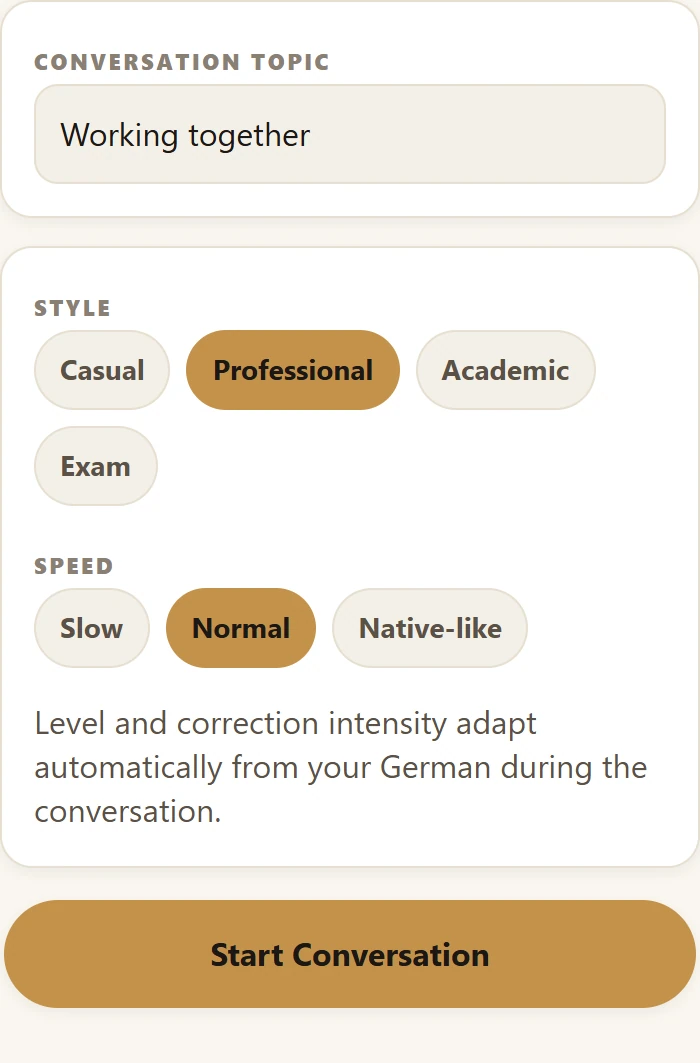
Conversation topic, style, speed and Start Conversation controls
English app interface

Topic, style, speed and start controls; larger image includes the partner choices and full setup.

View larger — Conversation settings
Work with your own answer

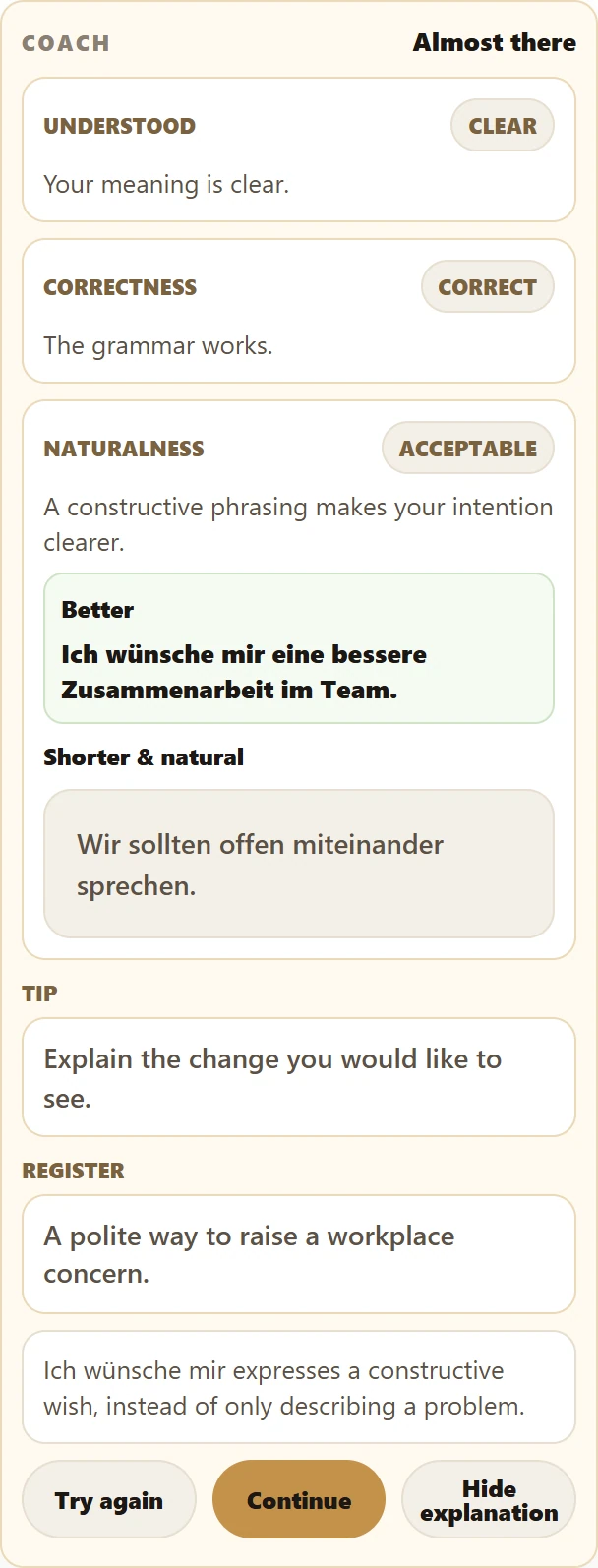
Review grammar, naturalness and register. Alternative wording appears when it is useful, rather than on every answer. Where a recognised grammar topic is linked, open a drill to practise it. An advanced scenario can support a discussion without a separate discussion product.

Example speaking feedback
Complete prepared example of the Lingeva coach feedback card
English app interface

Complete prepared feedback card; this is an example, not a live AI assessment.

View larger — Example speaking feedback

Watch the app walkthrough

Silent demo · prepared example responses

A short recording of the actual English app with isolated demo data. The opening and feedback are prepared test responses. No live AI, real customer, voice recording or purchase is involved. Silent video; translated captions and transcript are available.

Transcript

Demonstration with prepared responses in the actual English Lingeva interface. The conversation partner is Lena Hoffmann. The topic is changed to “Working together”; Professional style and Slow speed are selected. Start Conversation opens a prepared German greeting. The demo learner types: “Ich finde, die Stimmung im Team ist nicht gut.” Check answer displays prepared feedback that separates understandability, grammatical correctness and naturalness. The suggested wording is: “Ich wünsche mir eine bessere Zusammenarbeit im Team.” A shorter alternative is: “Wir sollten offen miteinander sprechen.” Explain opens the prepared note: “Ich wünsche mir expresses a constructive wish, instead of only describing a problem.” This recording demonstrates actual controls and rendering, not the quality of live AI or a real learner’s proficiency.

AI Speaking is a Premium feature in the app. Permission and usage limits apply. This website does not start a live AI session.

Grammar

Keep the connection going

Put one useful phrase into practice today.

The app interface and explanations are available in English and Vietnamese. German is the language you practise.

View larger

Use browser zoom to inspect the text. The controls pictured belong to the app screenshot.

Open original image